Every file, task and record in one office app.
WorkNest keeps your documents, paper archive, staff, tasks and accounts on your own computers. It works with no internet and no cloud account.
Built for paper-heavy offices
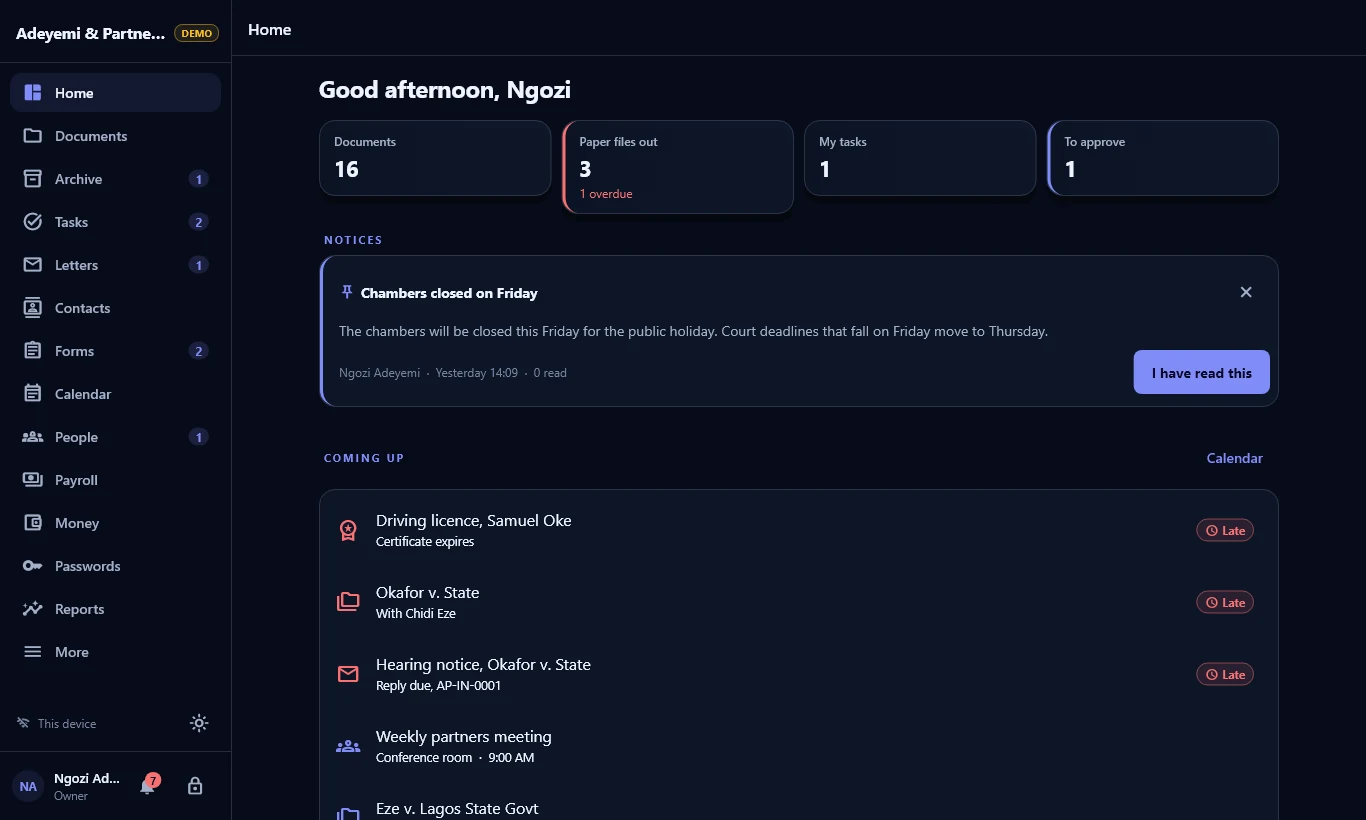
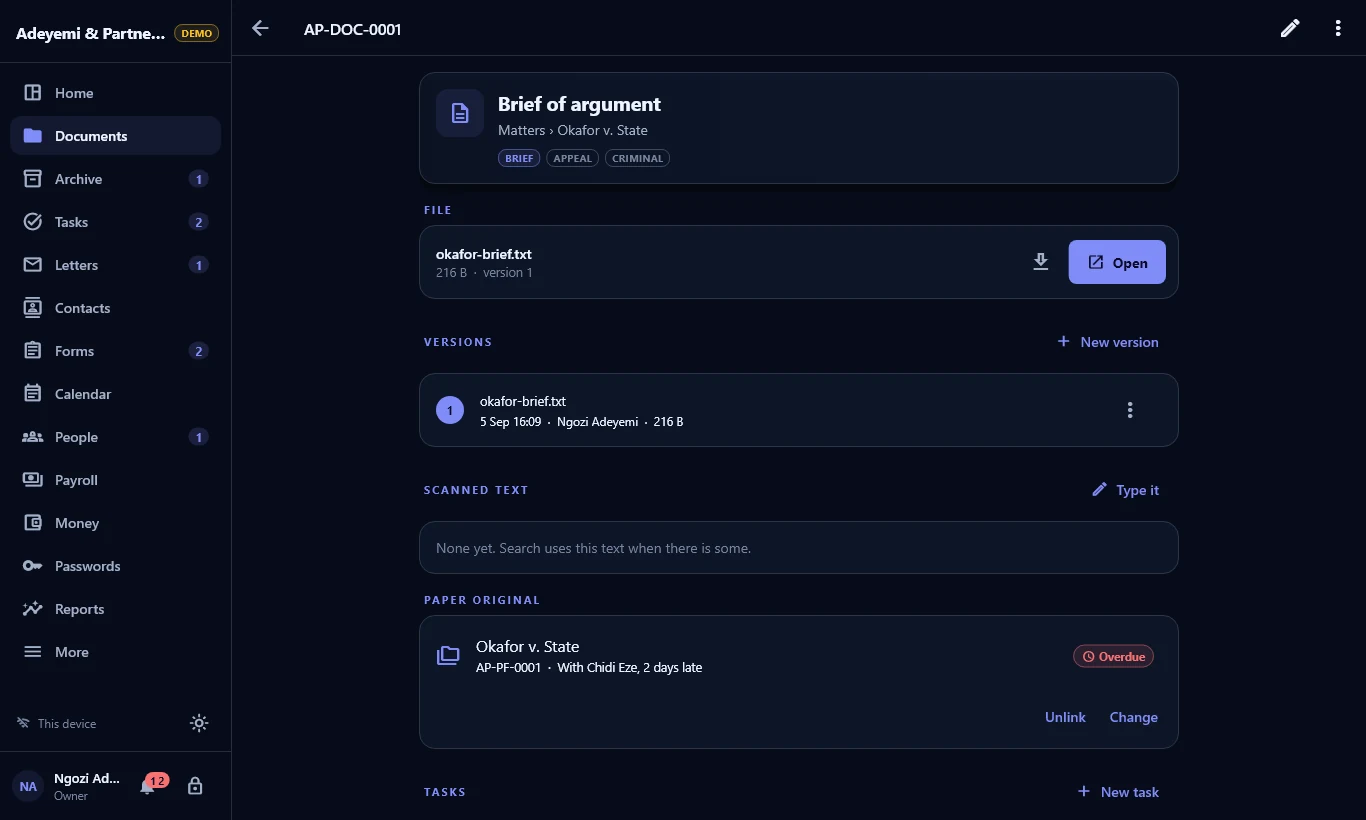
Documents
Folders, categories, tags and full version history. A new upload never replaces the old one. Search reads titles, notes, file names and the text on scans.
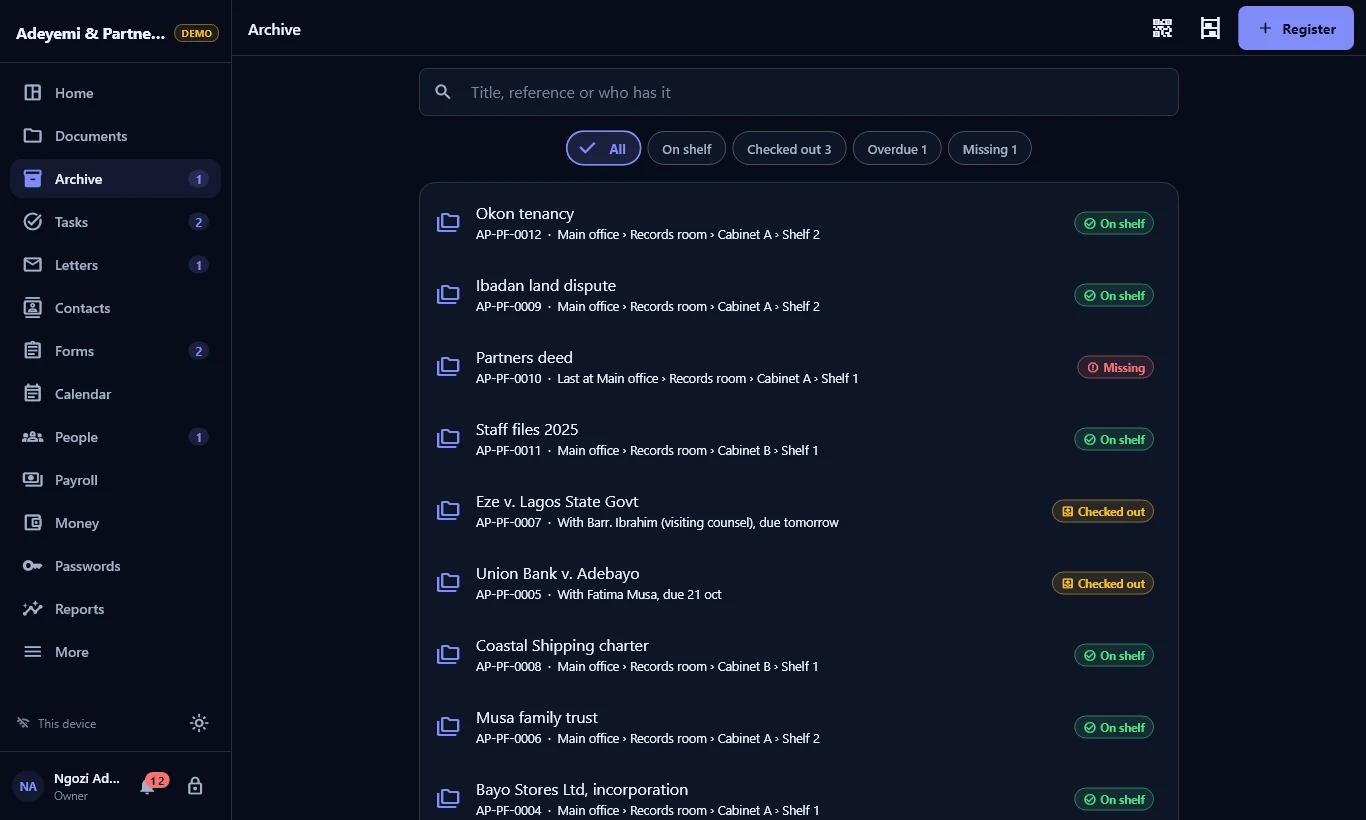
Paper archive
Rooms, cabinets, shelves and boxes. Check a file out to a person with a return date, and see what is overdue or missing. Print QR labels and scan them back.
Scanning
Photograph pages or pick images, reorder them and save one PDF. Text on the pages is read on the device, offline, and added to search.
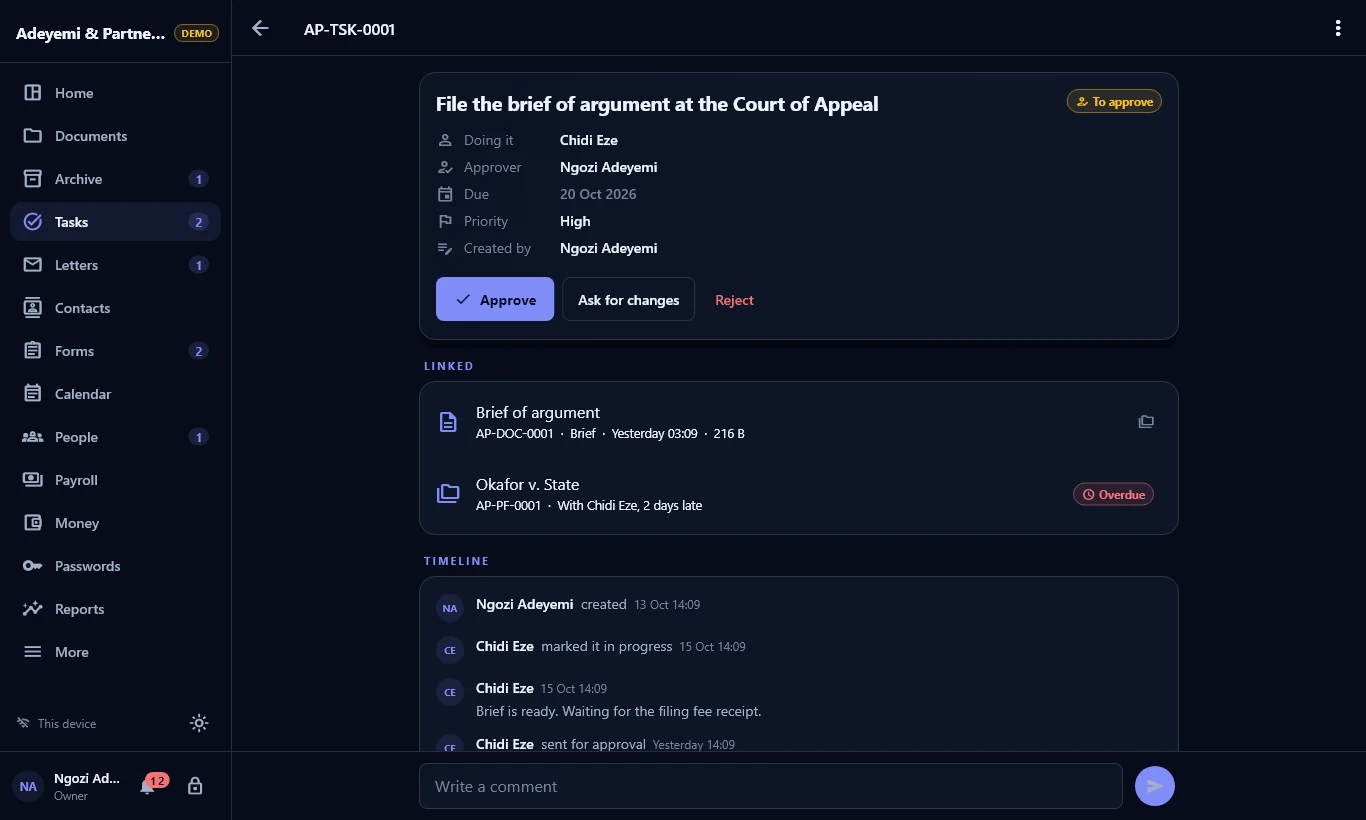
Tasks and approvals
Assign work with due dates and priority. Approvals go to a named approver, and nobody approves their own work.
Letters and contacts
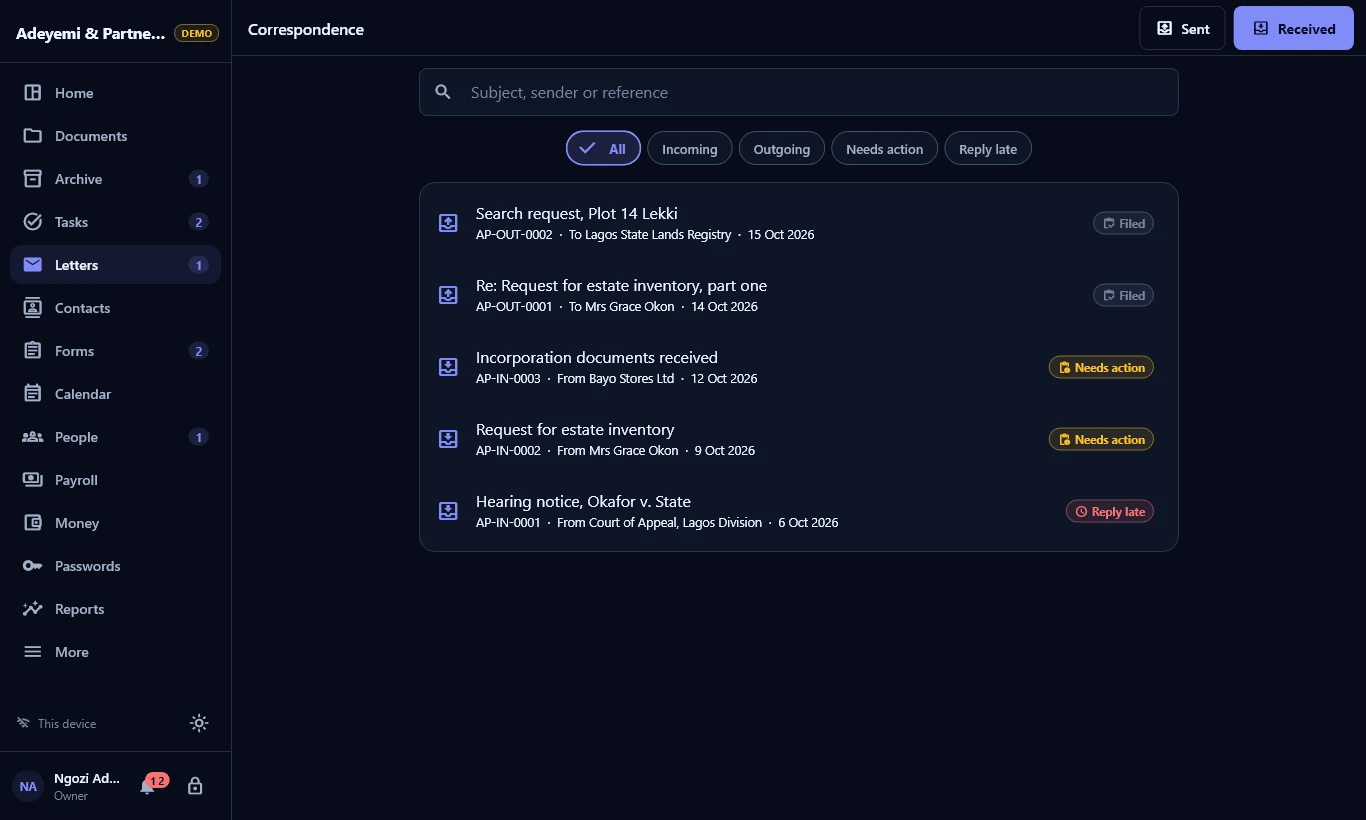
A numbered register of letters in and out, replies linked to what they answer, and alerts when a reply is late.
Forms, notices and meetings
Build forms and review answers. Post notices with read confirmations. Keep agendas, minutes and action items, all on one calendar.
See it in use
Switch on only what you use
Every module turns on and off per workspace. Turning one off hides it and keeps its records.
People and HR
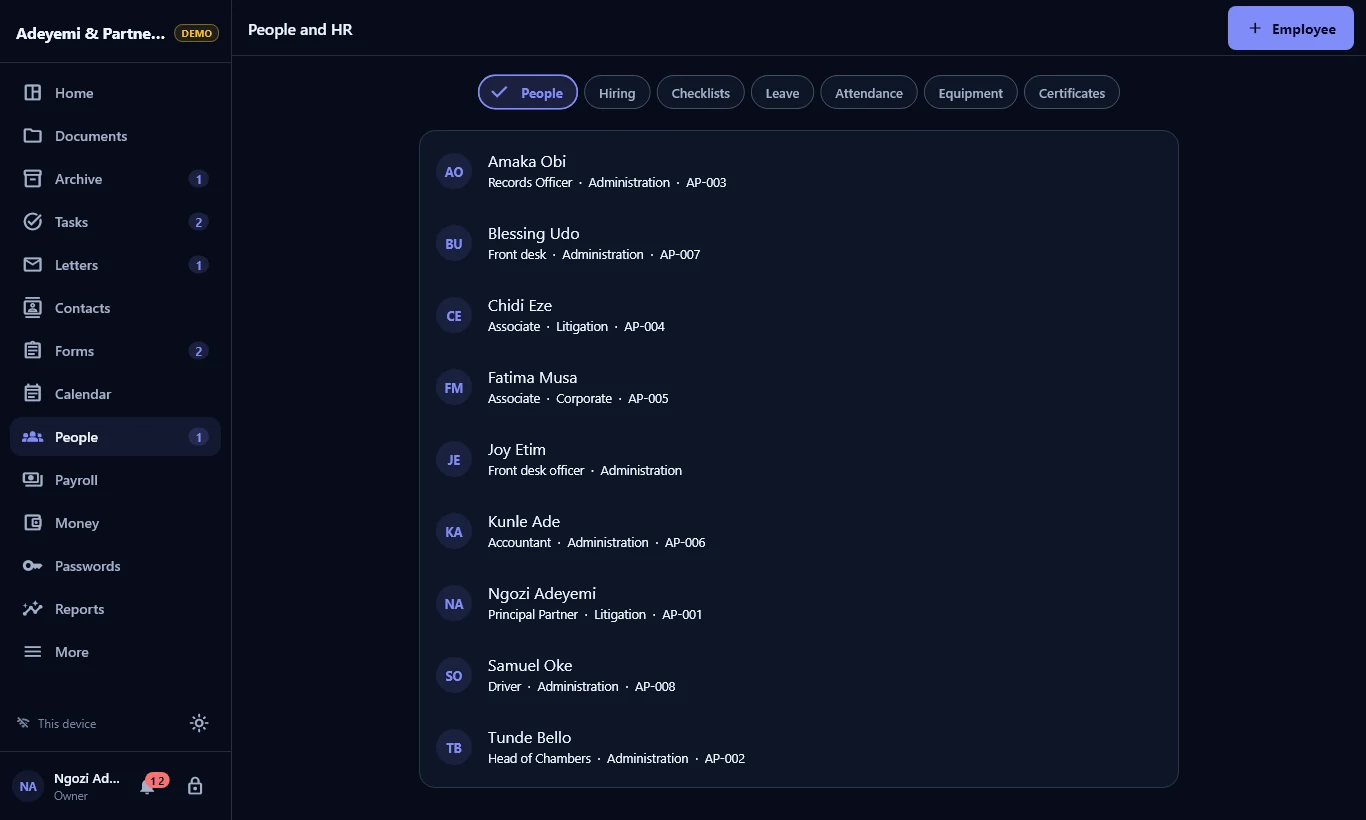
Employee records, leave, attendance, equipment and certificates with expiry dates. Hiring from applicant to employee, with joining and leaving checklists.
Payroll
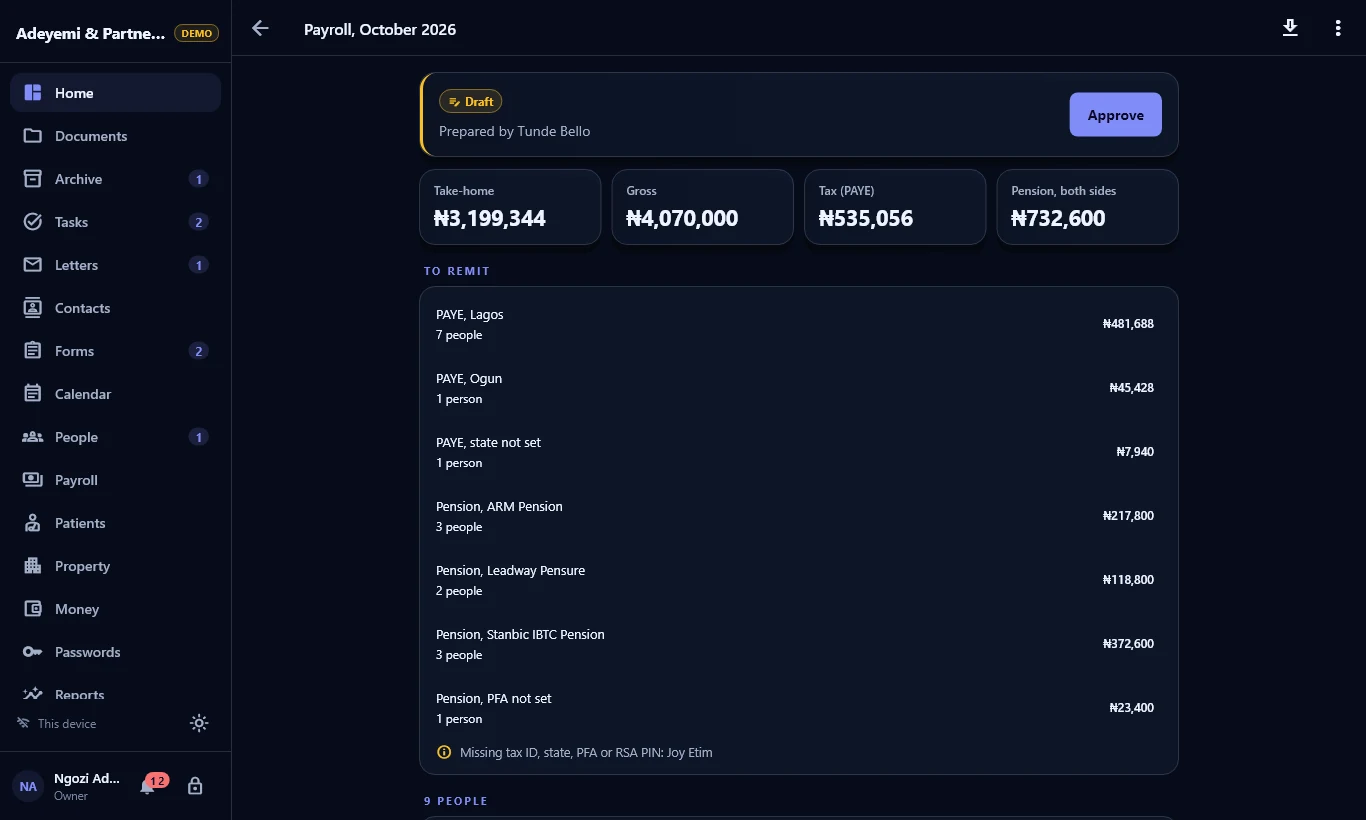
PAYE on the Nigeria Tax Act 2025 bands, pension, NHF and payslips. One person prepares, another approves. Bank schedules and remittance files export.
Invoices and books
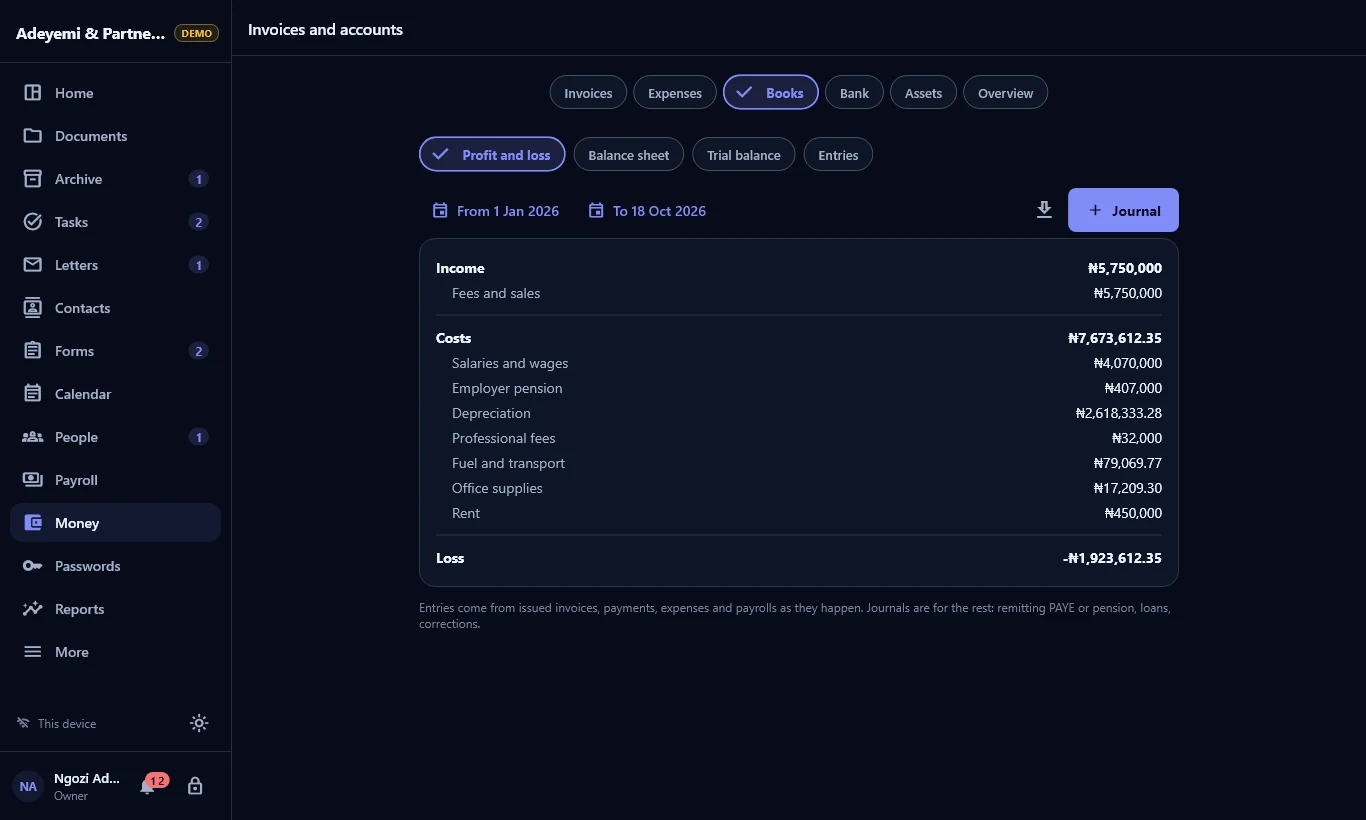
Numbered invoices and receipts, VAT, expenses and fixed assets, all posted to double entry books. Import a bank statement and match it.
Clinic
Patients, visits, prescriptions, lab tests, appointments, wards, drug rounds, stock and HMO claims. It records what clinicians decide and suggests nothing.
Property and rent
Properties, units, landlords and tenancies. Rent is invoiced period by period, with repairs tracked from reported to done.
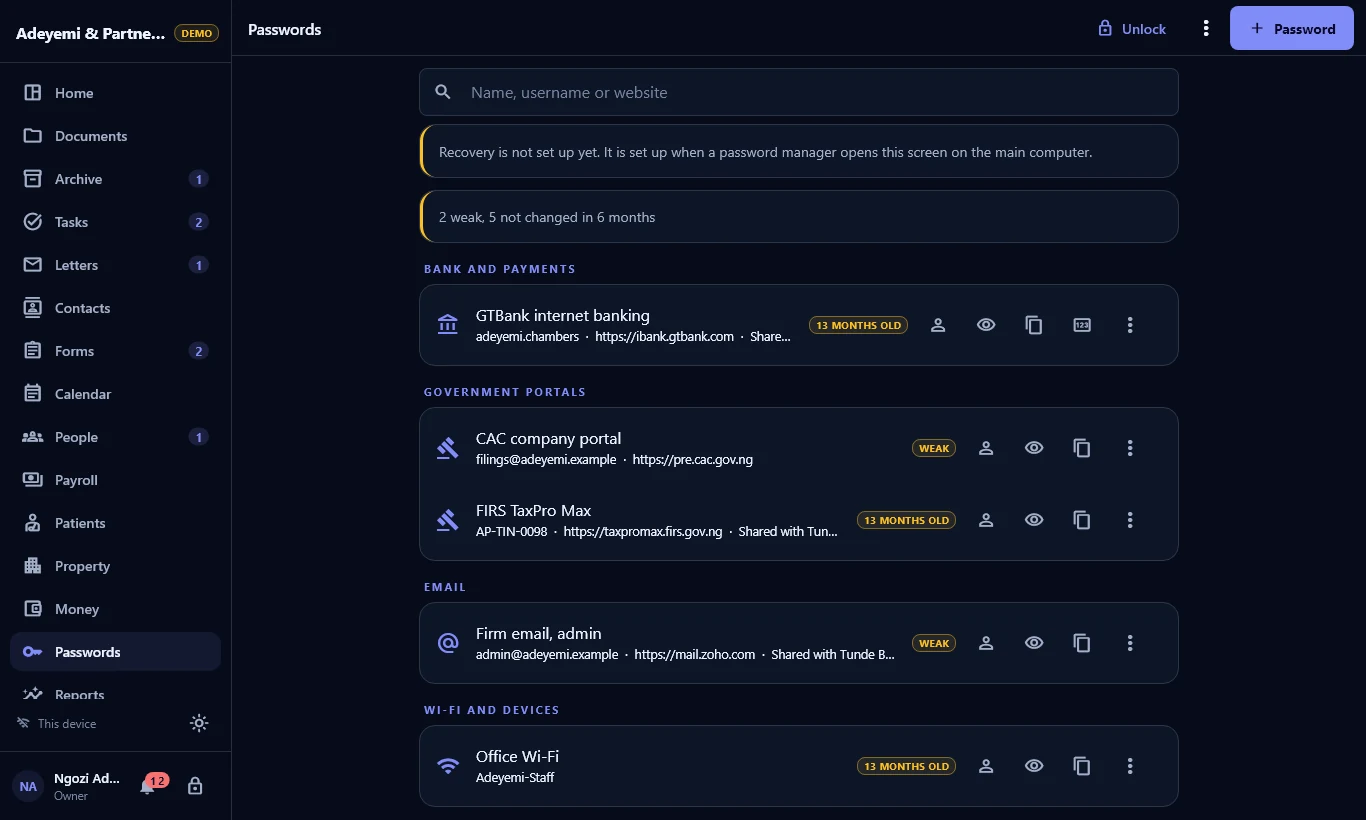
Shared logins
Bank portals, tax and email logins, encrypted for each person they are shared with. A copied password clears after 30 seconds.
Set up in four steps
Try the demo
A made-up law firm with staff, files, letters and payroll. Every demo PIN is 1234.
Pick your kind
Your organization and its industry. Folders, departments and forms are set up for you.
Add your team
Departments, staff and roles. Each person signs in with their own PIN.
Save your phrase
Write down the 24 recovery words. They are the way back into your records.
Everyone sees what their job needs
Permissions are checked in the data layer, not only hidden on screen. The activity log records who did what.
| Owner | Everything, including the recovery phrase and devices |
|---|---|
| Administrator | Everything except owner-only powers |
| Records Officer | Documents, restricted files, the paper archive, letters and forms |
| HR Officer | Employee records, leave, hiring and payroll |
| Accounts Officer | Invoices, expenses, the books and contacts |
| Staff | Documents, the archive, tasks, letters and forms |
| Auditor | Reads records, reports, pay and the activity log, and changes nothing |
Also Clinician, Pharmacy and Lab, Property Manager, Viewer and your own custom roles.
One office, many devices
One computer hosts
The main computer shares the workspace over an encrypted connection on the office network. No cloud service sits in between.
Others pair and sync
Other PCs pair with a QR code or a one-time code. They keep working offline and catch up when they reconnect.
Your records stay yours
There is no WorkNest server. Elevven11 holds no copy of your records or keys.
Encrypted on the device
The database is encrypted with SQLCipher (AES-256), with its key in the operating system's secure storage.
PINs never stored
Only a salted Argon2id hash is kept. Five wrong tries lock the person out, and the app locks itself after 15 minutes.
Verified backups
A .wnbak file holds records and files together, sealed with the recovery phrase or
a password. Back up on a schedule, with a copy to USB.
Tamper-evident log
Every action is chained, so a changed or missing entry is detected and reported. Archive movements can never be edited.
Restricted records
Restricted folders, HR, payroll and patient records are invisible to anyone without the permission, including in search and exports.
Files checked on read
Each file is stored once by its SHA-256 inside the encrypted database and checked every time it is opened.
Twelve kinds of organization
Each pack sets up folders, categories, departments, an archive layout and ready-made forms. Edit any of it.
- General office
- Law firm
- School
- Construction
- Accounting and audit
- NGO
- Real estate
- Recruitment
- Church or mosque
- Manufacturing
- Logistics
- Clinic or pharmacy
Want us to set it up?
We get your office running in WorkNest: installed, organised and your staff trained. Remote or on site, quoted before we start.
Install and pair
WorkNest on the main computer, with the other office computers paired over your network.
Set up your office
The right pack and modules, your departments, roles and reference prefix.
Bring in your files
Existing digital files into folders with categories, and contacts from your spreadsheets.
Organise the paper archive
Rooms, cabinets and shelves set up, files registered, and QR labels printed and stuck on.
People and pay
Staff records, leave allowances and pay details entered. Your accountant confirms the tax rates.
Backups and training
A backup schedule with a USB copy, the recovery phrase on paper, and staff trained by role.
How it works
Tell us about your office
Your kind of work, team size, computers, and how much paper you keep.
Get a quote
A fixed price for the work, agreed before anything starts.
We set it up
In one visit, or in stages for a large archive.
Train and hand over
Each team learns their part, and you keep every key.
Remote
Over a video call with screen sharing. Suits one or two computers and a team that can follow along.
On site
We come to you. Best for several devices, a large paper archive, or a team trained together.
Your data stays yours
We work on your computers with you there. Nothing is copied off them, and we keep no record of your data.
Common questions
Do I need internet or an account?
No. WorkNest runs fully offline on your own computers, and devices share over your office network.
Can Elevven11 see our records?
No. Nothing is sent to us. There are no ads, analytics or tracking in the app.
Which devices does it run on?
Windows first. Android phones and tablets, iPhone and iPad follow.
Are the payroll figures tax advice?
No. WorkNest works out pay from the rates you set. Have an accountant check them before you rely on them.
What if a computer is stolen?
Install WorkNest on a new computer and restore your latest backup with the recovery phrase or backup password.
How much does it cost?
Pricing is per organization and number of devices. Message us and we will send it.
Get WorkNest
WorkNest is coming to Windows first. Leave your details and we will tell you when it is ready.